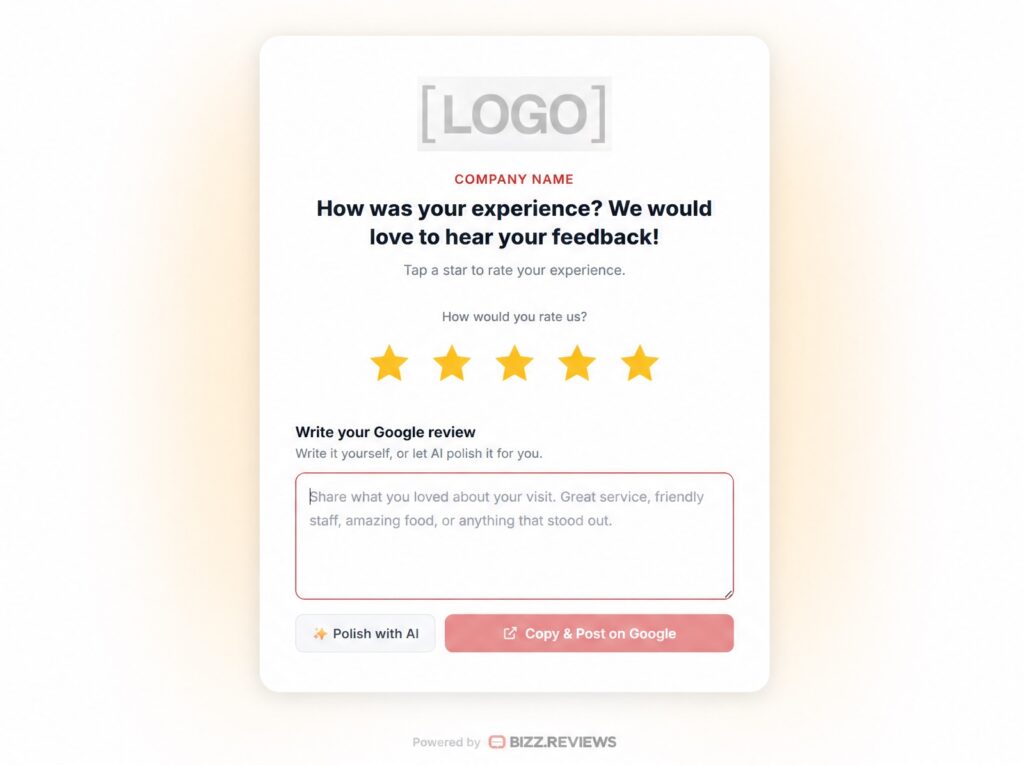
Smart Filters add a quick rating step to every Bizz Reviews form. Top ratings move toward your Google profile. Lower ratings reach your private inbox first so you can follow up directly and turn a tough moment into a better one.
Built To Route Every Review To The Right Next Step
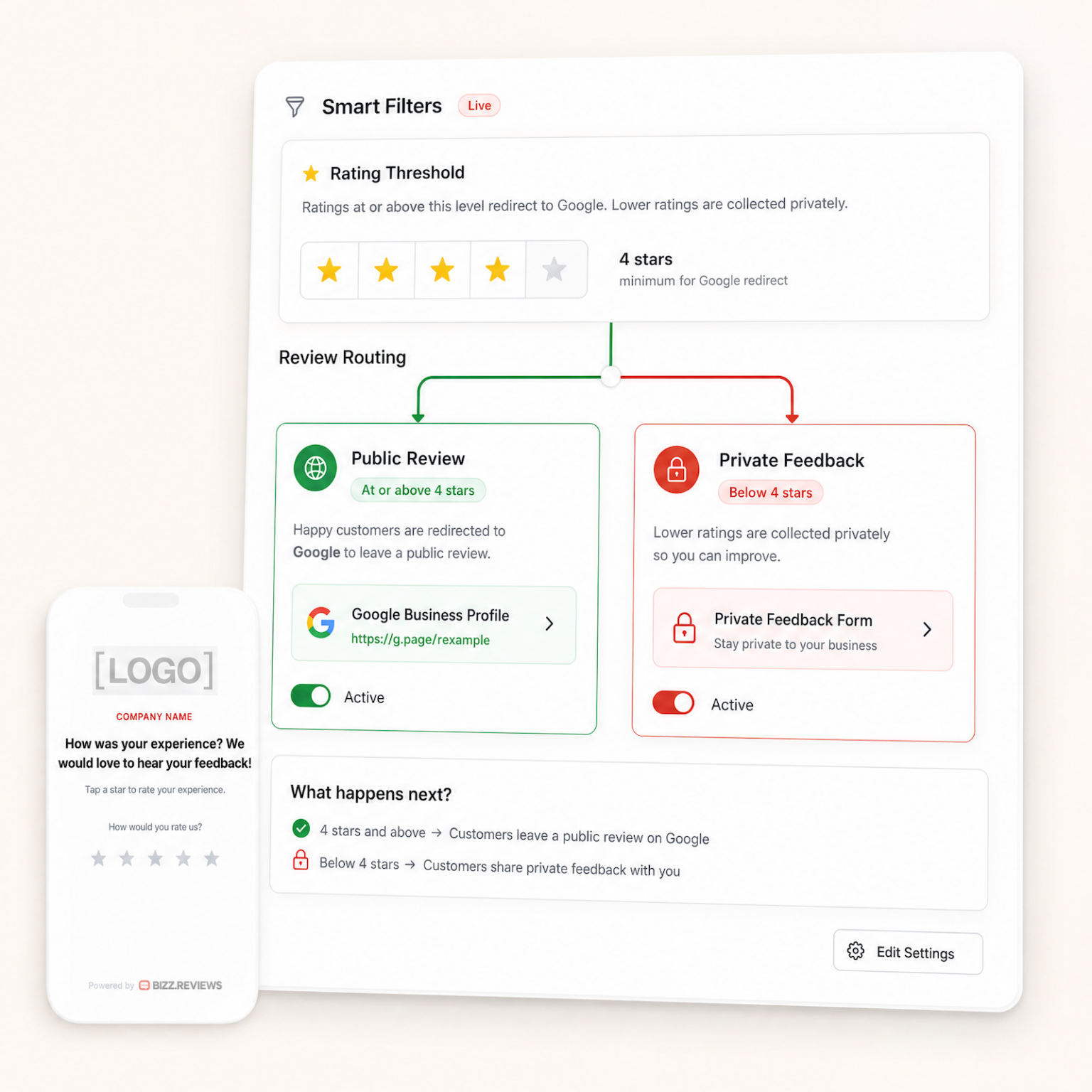
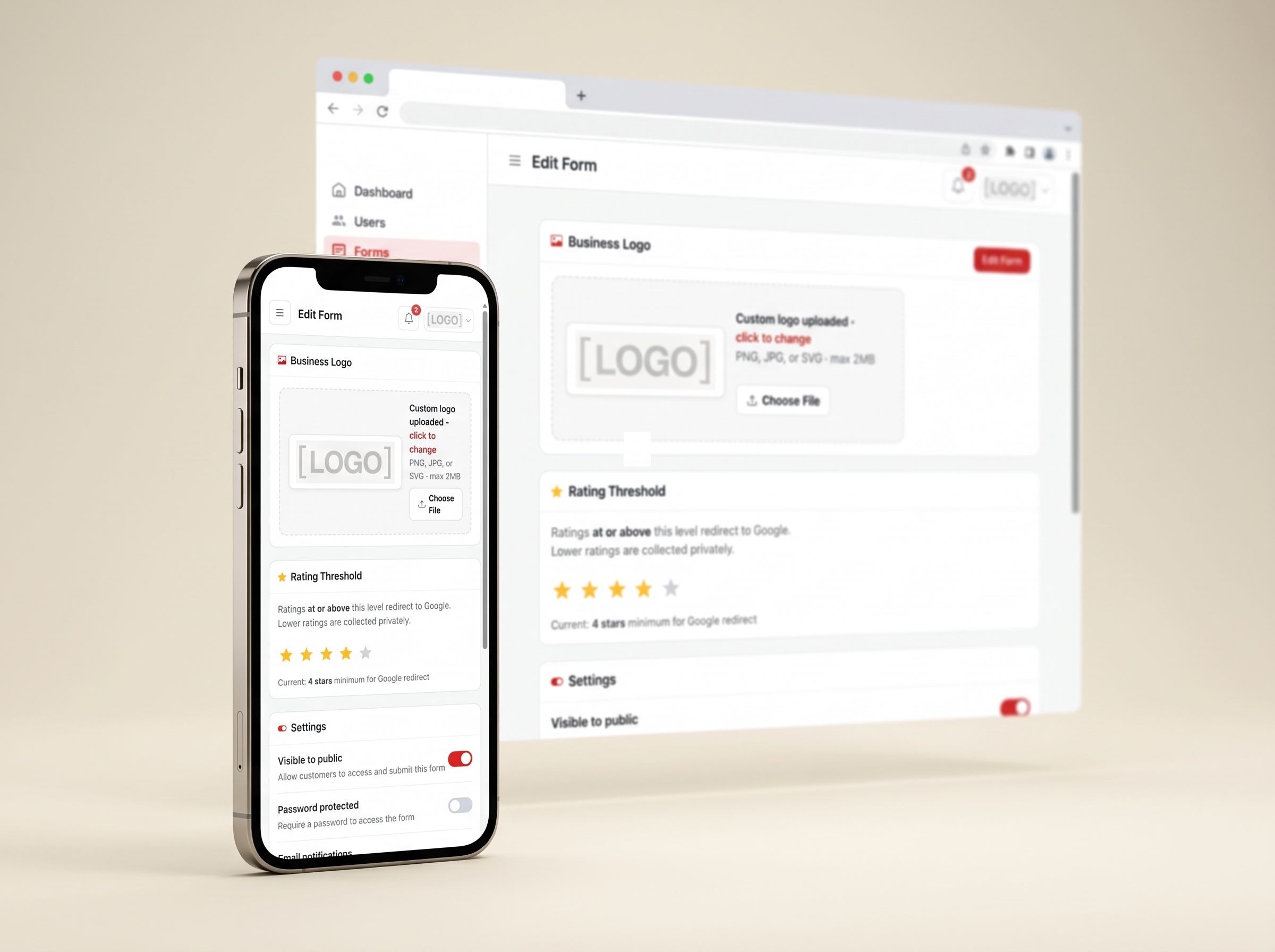
Smart Filters give you control over the review threshold. Top ratings move toward Google faster. Lower ratings open a private form so you read the message first, not the internet.
One tap. The right path.
Pick Your Review Threshold
Pick Your Review Threshold
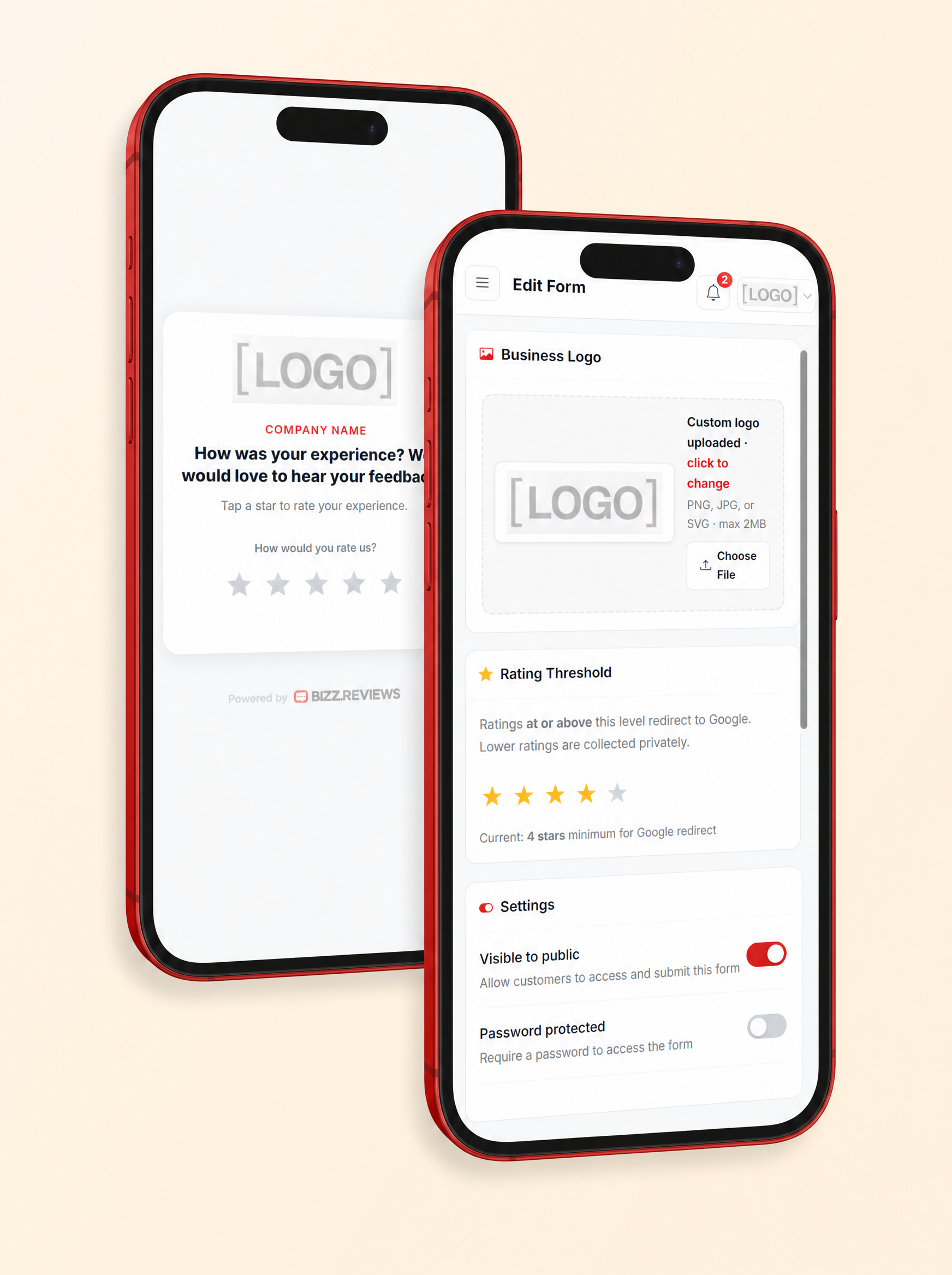
Choose 5, 4, 3, 2, or 1 as your cutoff. Most owners pick 5 so only the best ratings hit Google.
Top Reviews Go Straight to Google
Top Reviews Go Straight to Google
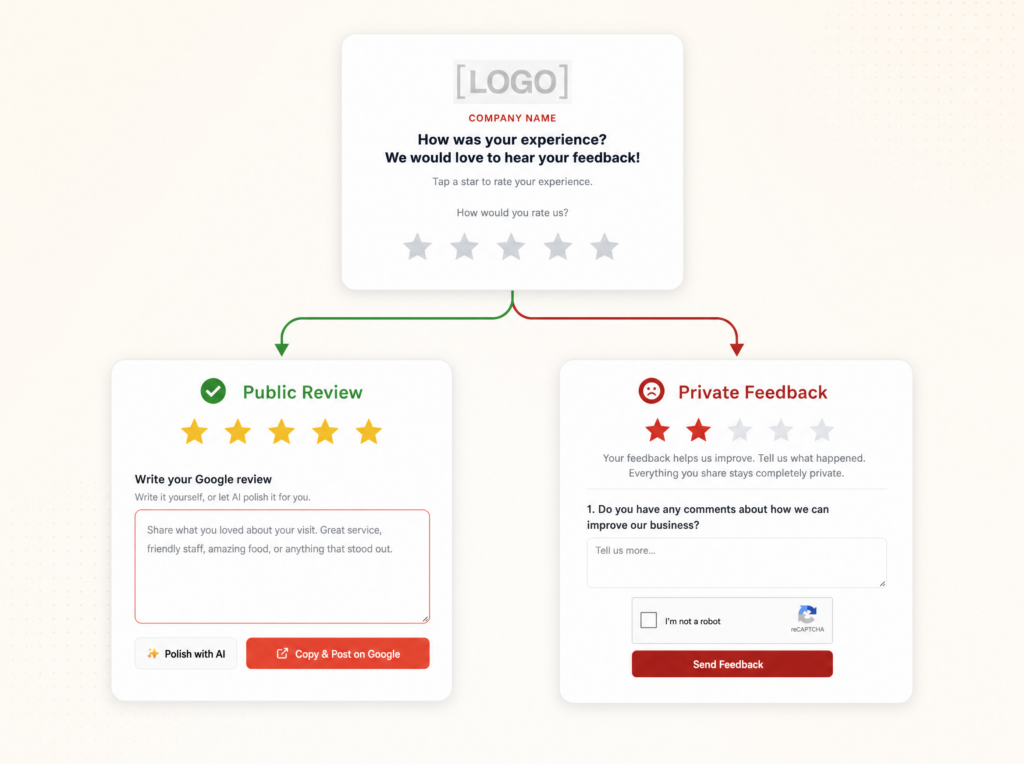
A 5 star review lands them on your Google profile in seconds, while the visit is still fresh.
Lower Reviews Reach You First
Lower Reviews Reach You First
Anything under threshold opens a private form and lands in your email so you can reply fast.
A Customizable Feedback Form
A Customizable Feedback Form
Ask what happened, who they spoke with, and how you can fix it. Every field is yours to edit.
HOW IT WORKS
HOW IT WORKS
What
Smart Filtersdo
A quick rating, a smart route, and a fast follow up. Happy customers move toward Google while quieter concerns reach your inbox first, giving you the chance to read the story, respond fast, and win the moment back.
You are just 3 steps away.
1. Request Feedback
The form opens with a clean review prompt. Your customer picks their rating, and the result tells us where to send them.
2. Smart Route
Hit or beat your threshold and the customer heads to your Google profile. Land below it and your private feedback form opens.
3. Save Reputation
A detailed email lands in your inbox with the rating, the comment, and the customer info. Reach out first and save the relationship.
WORKS EVERYWHERE
WORKS EVERYWHERE
You Decide What Counts As Google Ready
Some shops only want top ratings going public. Others send 4 and 5 star ratings toward Google. With Smart Filters, the call is yours.
SET YOUR REVIEW THRESHOLD
SET YOUR REVIEW THRESHOLD
Control The Line Between Public And Private
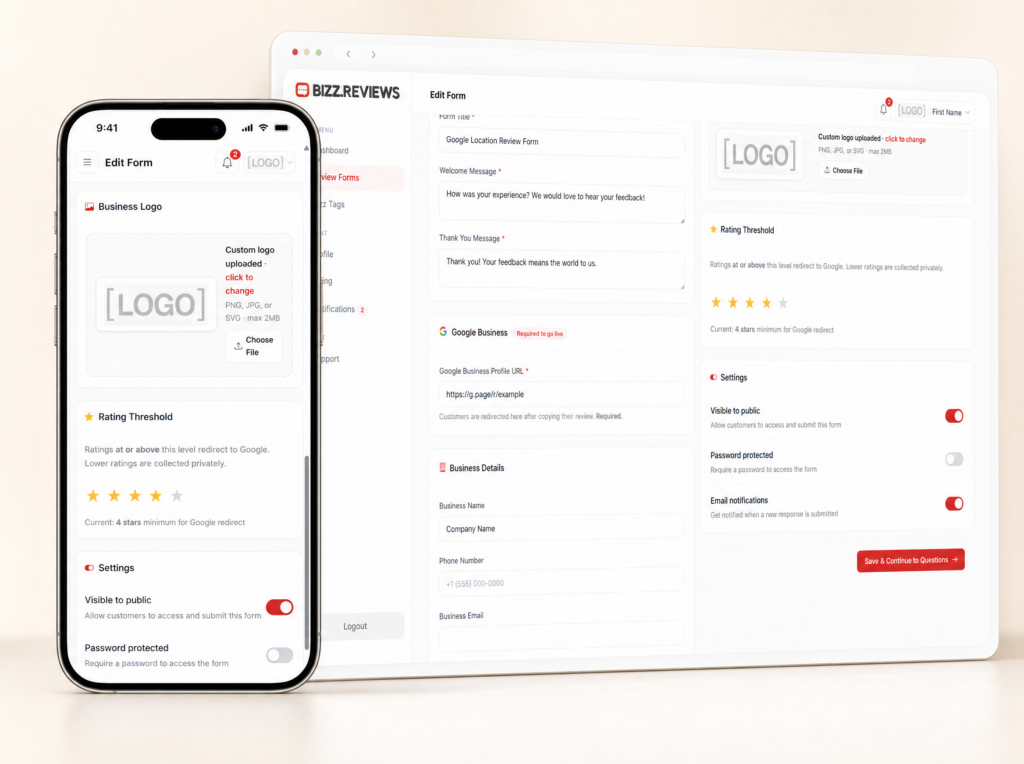
Open your form settings, pick your rating line, and you are done. Higher ratings move toward Google. Lower ratings reach your private inbox first so you can read the story and follow up before frustration grows.
You set the rules
Set review threshold fast.
5 stars go straight to Google.
Lower ratings stay private.
Every message by email.
Customize private form fields.
Edit rules from dashboard.
Hi 👋 New to Bizz Reviews?
Hi 👋 New to Bizz Reviews?
Create your free account and claim your first Bizz Tag on us.
Bizz Reviews helps local businesses collect Google reviews and private customer feedback using simple review forms, review links, QR codes, NFC tags, and a clean dashboard. Customers tap or scan, share their experience, and your team sees the feedback in real time.
No. Customers tap an NFC tag, scan a QR code, or open a review link, and the Bizz Reviews form opens in their phone browser. There is no app, no login, and no account required for your customers.
No. Bizz Reviews does not block, hide, or remove public reviews. Customers can always leave a public Google review. Smart Filters help your team listen first by routing private concerns to your inbox before frustration grows.
Setup is simple. You create your account, customize your review form, activate a Bizz Tag or QR code, and place it where your customers naturally pause. Most local businesses get fully set up in one sitting.
Yes. Multi Location Forms let each location use its own review form, review link, QR code, NFC tag link, and feedback routing while keeping everything organized inside one account.
Bizz Reviews stores customer feedback securely in your dashboard. Private feedback is only visible to your team. We follow standard security practices for SaaS platforms and you control how the data is used in your account.
No. The dashboard is built for business owners and managers. You can customize your form, generate QR codes, activate tags, and review feedback without writing code or learning complex tools.
Yes. Bizz Reviews has no long term contracts. You can cancel from your account when you want. Bizz Tag stickers and Bizz Stands are one time purchases.